For Event Planners: Managing Vendor Contracts and Schedules with Zero Chaos
- 11 February 2026
- Technology
Key Takeaways
- Centralize Chaos: Merge PDFs, Google Docs, and vendor emails into one searchable AI “brain.”
- Instant Recall: Ask “What time is the PA system setup?” and get the answer in seconds.
- Conflict Detection: AI spots overlap errors (e.g., florist and lighting crew arriving simultaneously).
- Local Relevance: Perfect for managing typical Malaysian multi-vendor events like weddings or corporate galas.
- Free Efficiency: Reduce logistical admin work by 50% without expensive software subscriptions.
Can AI Replace Your Clipboard and Highlighter?
Event planning in Malaysia is rarely straightforward. You aren’t just managing a timeline; you are juggling a caterer who needs a halogen connection, a décor team demanding the ballroom by 10 AM, and a client asking if the venue contract covers overtime air-conditioning.
Usually, this means frantically scrolling through WhatsApp media galleries or digging through twenty different PDF attachments.
NotebookLM changes this dynamic completely.
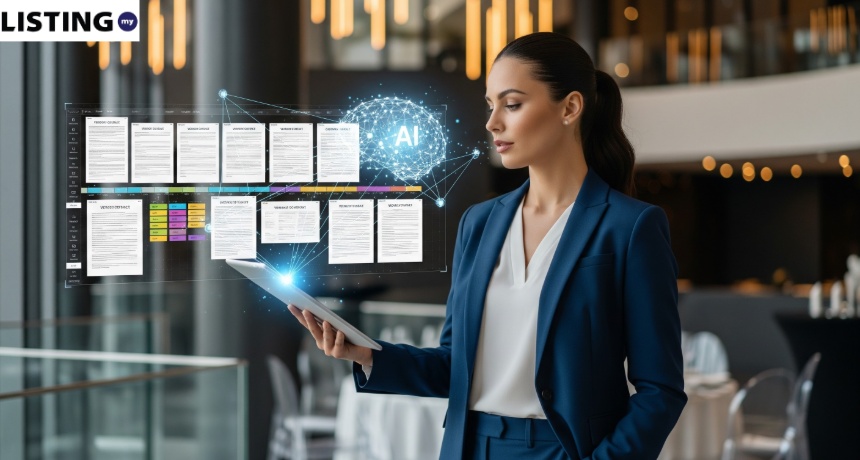
Instead of relying on your memory or a messy Excel sheet, you can upload every single vendor contract, floor plan, and schedule into a private AI notebook.
It doesn’t just store files; it “reads” them. You can ask it questions about your event logistics as if you were talking to a highly organized personal assistant who has memorized every clause in every contract.
Traditional vs. AI Planning Comparison
Logistics Task | Manual Method (Old Way) | NotebookLM Method (New Way) | Time Saved | Key Result |
Contract Search | Digging through 50+ emails & PDF attachments. | Ask: “What is the overtime rate?” & get instant answer. | 90% Faster | No more “I forgot” moments. |
Conflict Check | Manually comparing rows in Excel vs. Vendor PDFs. | Ask: “Spot time clashes between AV & Decor setup.” | Instant | Zero double-bookings. |
Rider Verification | Printing physical copies to highlight power needs. | Ask: “List all 3-phase power requirements.” | 15 mins/vendor | Tech team gets accurate info. |
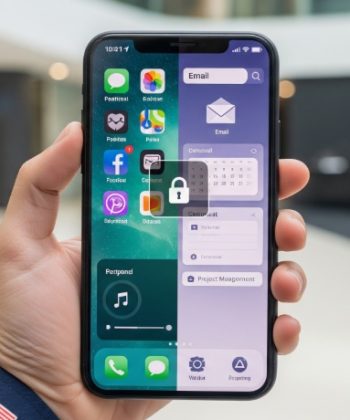
On-Site Queries | Calling the office to check the server file. | Chatting with the App on your phone. | Real-time | Solves problems on the floor. |
How Does NotebookLM Simplify Vendor Management?
NotebookLM acts as a unified database for your event. By uploading disparate file types—PDF contracts, JPEG schedules, and text notes—you create a “Source” that the AI can analyze holistically to find specific details and cross-reference information.
Most planners rely on Google Drive, but Drive is passive storage. You have to open files to find answers. NotebookLM is active; it scans the content of your files.
For a wedding planner handling a 500-pax kenduri or a corporate organizer managing a tech summit in KL, this means you no longer need to memorize the fine print of the venue rental agreement. You simply ask the AI.
Core Capabilities for Planners:
- Cross-Document Search: It looks at the Caterer’s contract and the Venue’s rules simultaneously.
- Citations: Every answer comes with a “citation” number, linking you directly to the paragraph in the original PDF so you can verify the info.
- Privacy: Your data is not used to train the public Google model, keeping client contracts confidential.
How Do You Upload and Organize Contracts?
The first step is digitizing and centralizing your “sources.” Effective organization within the tool is key to getting accurate answers during the heat of event day.
Start by creating a new “Notebook” for each specific event (e.g., “Sarah & Hafiz Wedding” or “TechExpo 2026”). Do not mix events in one notebook, or the AI might confuse the caterer from Event A with the venue from Event B.
The Upload Workflow:
- Collect Files: Gather the venue tenancy agreement, vendor quotations (Sound, Light, Decor, Catering), and your draft run-sheet.
- Format Flexibility: You can upload PDFs, text files, or even copy-paste text from long WhatsApp instruction chains into a new “Note.”
- Labeling: While the AI is smart, naming your files clearly (e.g., “Contract – Grand Hyatt.pdf” vs “Invoice – Ali Catering.pdf”) helps you verify sources faster.
Pro Tip: If a vendor sends a picture of a handwritten invoice or schedule, use Google Lens or iPhone’s “Scan Text” feature to convert it to digital text before uploading, as the tool reads text better than raw images.
Can AI Spot Scheduling Conflicts Before They Happen?
This is the “killer feature” for logistics. By cross-referencing vendor arrival times against the master schedule, NotebookLM can identify logistical clashes that a human eye might miss after staring at spreadsheets for hours.
Imagine you have a “Decorator” contract stating they need 4 hours for setup, but your “Venue” booking only allows access 2 hours before the event. A human might miss this discrepancy until the day of the event. NotebookLM can catch it during the planning phase.
How to Query for Conflicts:
Once your documents are uploaded, type these prompts into the chat box:
- “Based on all uploaded contracts, list the arrival time for every vendor in chronological order.”
- “Does the setup time requested by the Decorator conflict with the venue access time in the Tenancy Agreement?”
- “List all vendors who require a power point connection based on their technical riders.”
- “What are the overtime rates for the photographer vs the videographer?”
Real-World Scenario: The “Ballroom Clash”
A practical example of how this prevents disaster. A common issue in Malaysian events is the “loading bay” bottleneck, where the PA system truck and the catering van arrive at the exact same narrow entrance.
Let’s say you are managing a gala dinner. You upload the Audio Visual (AV) Rider and the Catering Agreement.
- AV Rider says: “Loading required at Loading Bay B at 3:00 PM.”
- Catering Agreement says: “Food setup team arriving Loading Bay B at 3:00 PM.”
You ask NotebookLM: “Create a timeline of all vendor arrivals and highlight any potential location overlaps.”
The AI will output a list showing both vendors targeting “Loading Bay B” at “3:00 PM.” You immediately spot the bottleneck.
Now, you can call the AV team to shift to 2:00 PM or request the Caterer use Loading Bay A, solving a crisis before it even happens.
Need More Clients for Your Planning Business?
Is your backend process now optimized with AI? Great. Now it’s time to fill your schedule.
To grow your agency, you need visibility where clients are looking. Ensure your services are easy to find by getting listed on a trusted Malaysia Business Directory Listing platform like Listing.my. It connects verified service providers with clients actively searching for event experts.
Conclusion
A calm event planner is simply one who has instant access to information. NotebookLM acts as your “corporate brain,” holding all the crucial, yet often overlooked, details like contract clauses, specific timestamps, and rider requirements. This frees you up to concentrate on creating an outstanding event experience.
This free tool is the modern upgrade for your event management toolkit, especially for Malaysian planners handling complex logistics and numerous vendors.
It transforms static PDF contracts into a searchable, interactive database, dramatically reducing the chance of costly “I didn’t know that was in the contract” errors.
Event agencies and freelancers can also use NotebookLM to streamline client management. Discover how at Agency Workflow To Manage 10+ Clients with NotebookLM.