Antivirus is Dead: Why SMEs Need Endpoint Detection (EDR) in 2026
TL;DR / The Key Differences
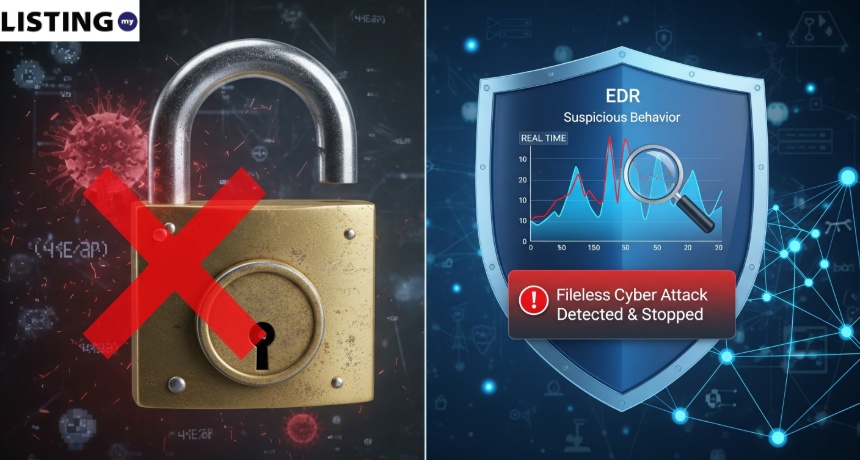
- Antivirus (AV): Blocks “Known Viruses” (like a security guard with a “Most Wanted” list).
- EDR (Endpoint Detection and Response): Blocks “Suspicious Behavior” (like a detective monitoring the building for anyone acting weird).
- Why You Need It: Modern hackers don’t use “viruses”; they use your own system tools to stay hidden. EDR is the only way to stop them.
Introduction: The Era of “Fileless” Attacks
For 30 years, Malaysian businesses have relied on “Antivirus” software like Norton, McAfee, or Kaspersky. You install it, it scans for bad files, and you feel safe.
In 2026, that feeling is a dangerous illusion.
According to CrowdStrike’s 2025 Global Threat Report, 75% of attacks now involve no malware at all—they are “fileless” attacks that use legitimate system tools like PowerShell, WMI, and macros to execute malicious actions. Traditional antivirus, which relies on matching known file signatures, simply cannot detect these attacks.
Modern cyber criminals have moved beyond “viruses.” Today, they use “fileless” attacks and ClickFix social engineering to bypass your firewall. If you are still relying on a traditional antivirus to protect your company’s data, you are essentially using a screen door to stop a hurricane.
This guide explains why Antivirus is no longer enough and why Endpoint Detection and Response (EDR) is the new standard for Malaysian SMEs.
1. The Flaw in Traditional Antivirus
Traditional Antivirus (AV) works based on signatures. This means it has a database of millions of “known bad files.” If you try to open a file that matches one of these signatures, the AV blocks it.
The Problem: Hackers now create thousands of “one-time” scripts that don’t have a signature. By the time your AV learns the signature, the hacker has already moved on.
In Malaysia, we are seeing a surge in “Zero-Day” attacks—attacks that are completely new and have no signature yet. AV is useless against these.
What is a Fileless Attack?
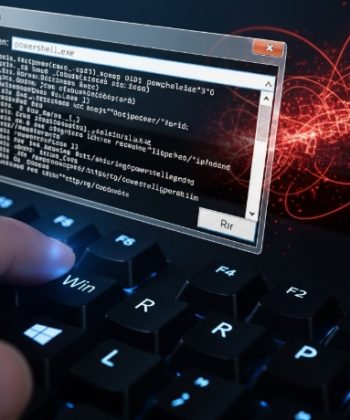
A fileless attack is a cyberattack that operates entirely in memory (RAM) without writing malicious files to disk. Instead of dropping a virus file, the attacker uses built-in system tools—like PowerShell on Windows—to execute malicious commands directly. Because no “bad file” is created, traditional antivirus has nothing to scan and nothing to block.
2. What is EDR? (The “Smart Detective”)
EDR (Endpoint Detection and Response) is a cybersecurity solution that continuously monitors endpoints (laptops, desktops, servers) for suspicious behavior, automatically responds to detected threats, and provides forensic data for investigation. Unlike antivirus, EDR does not rely on file signatures—it analyzes behavior.
How EDR Works:
Imagine a person enters your office. They have a valid ID and aren’t on any “security watchlists.” However, once inside, they start trying to open every locked drawer and pick the safe.
- Antivirus would let them in (because their ID is valid).
- EDR would stop them (because their behavior is suspicious).
In a real attack: If a script suddenly tries to encrypt all your Excel files at 3 AM on a Sunday, EDR recognizes this as a ransomware behavior and kills the process instantly.
Antivirus vs. EDR vs. XDR: The Full Comparison
| Feature | Traditional Antivirus | EDR | XDR |
| Detection Method | File signatures | Behavioral analysis | Cross-layer correlation |
| Catches Fileless Attacks | ❌ No | ✅ Yes | ✅ Yes |
| Automated Response | ❌ Quarantine only | ✅ Kill process, isolate device | ✅ Full incident response |
| Forensic Data | ❌ Minimal | ✅ Full timeline | ✅ Cross-domain visibility |
| Managed by IT Team | Self-managed | Often needs MSP | Needs dedicated SOC |
| Cost per Endpoint/Year (MYR) | RM50–RM150 | RM200–RM600 | RM500–RM1,500 |
| Best For | Very small offices | SMEs (5–100 staff) | Large enterprises |
Recommendation: For most Malaysian SMEs, EDR is the right choice. XDR is overkill unless you have a dedicated security operations center (SOC).
3. 3 Reasons Why Malaysian SMEs Need EDR Now
- Compliance with Act 854: If your business is a Vendor to an NCII sector, you are now legally required to meet high-level security standards. NACSA-approved auditors will often look for EDR, not just basic antivirus.
- Stopping “Credential Theft”: EDR can detect when a hacker is trying to steal passwords from your Chrome browser or trying to “remote control” your computer via Quishing.
- The “Response” Feature: If one computer in your office gets hit, EDR allows your IT team (or an MSP) to “Isolate” that one machine from the rest of the network instantly, preventing the infection from spreading.
4. Popular EDR Solutions in Malaysia (2026)
You don’t need a million-ringgit budget to get EDR. Many providers now offer “SME Packages” for small teams:
| Solution | Price (per endpoint/year) | AI Automation | Best For | Malaysia Support |
| SentinelOne | RM300–RM500 | Fully automated | Teams without IT staff | Via local partners |
| CrowdStrike Falcon Go | RM400–RM700 | AI + human analysts | Financial services, GLCs | Direct + partners |
| Sophos Intercept X | RM200–RM400 | Hybrid (AV + EDR) | Budget-conscious SMEs | Strong local presence |
| Microsoft Defender for Business | Included in M365 Business Premium (RM60/user/month) | AI-powered | Microsoft-heavy offices | Built-in |
| Trend Micro Worry-Free | RM150–RM350 | Behavioral + ML | Retail, F&B | Strong local presence |
Tip: If you already have Microsoft 365 Business Premium, check if Microsoft Defender for Business is included—it provides solid EDR capabilities at no additional cost.
5. Real-World Scenario: The Selangor Plant (2025)
A manufacturing plant in Selangor was hit by the Cl0p ransomware gang. Just like the hypothetical accounting firm, they suffered severe downtime, losing two weeks of production because their systems were entirely locked down.
Read More: The Biggest Cyber Threats Facing Malaysia in 2026
Conclusion: Upgrade Your Shield
In the world of 2026, your “Endpoint” (your laptop or server) is the new front line of the war against cyber crime. Don’t send your employees into that war with outdated tools.
The shift from Antivirus to EDR is not just a technical upgrade—it’s a fundamental change in how we think about security. Instead of asking “Is this file bad?”, we now ask “Is this behavior suspicious?” That single shift is what separates a business that survives an attack from one that doesn’t.
FAQ: Antivirus vs. EDR in Malaysia
Q1: Is EDR more expensive than Antivirus?
A: Yes, usually about 2x to 3x the price. However, the cost of a single ransomware attack in Malaysia is often RM180,000. EDR is a small price to pay for that peace of mind.
Q2: Can I just keep my current Antivirus?
A: You can, but it’s like wearing a bulletproof vest that only covers your arm. It’s better than nothing, but it won’t save you from a “headshot” (a fileless attack).
Q3: Do I need a professional to manage my EDR?
A: Yes. EDR produces “alerts” that need to be reviewed. Most Malaysian SMEs outsource this to an MSP who provides 24/7 monitoring.
Q4: What is XDR and do I need it?
A: XDR (Extended Detection and Response) extends EDR by correlating data across email, network, cloud, and endpoints. For SMEs with fewer than 100 employees, EDR is usually sufficient. XDR is recommended for larger organizations or those in regulated industries.
Q5: Can I use free EDR?
A: Some providers offer limited free tiers (e.g., Microsoft Defender’s basic protection). However, free versions typically lack the automated response and 24/7 monitoring features that make EDR effective. For business use, a paid plan is strongly recommended.