BYOD Policy Template for Malaysian SMEs (2026 Guide)
TL;DR / The Policy Highlights
- Whose Phone? The employee owns the phone, but the company owns the data inside it.
- WhatsApp Clause: Clear rules on whether work-related WhatsApp groups on personal phones are “Company Property.”
- Remote Wipe: The right for the company to “wipe” work-related data if the employee leaves.
- Privacy: The company cannot access the employee’s personal photos, messages, or apps.
Introduction: The “Bring Your Own Device” Reality
In 2026, most Malaysian employees use their personal smartphones for work. Whether it’s answering a WhatsApp message from a client or checking an email while stuck in traffic, the line between “personal” and “work” has blurred.
According to a 2025 Gartner survey, 70% of knowledge workers in Southeast Asia now use personal devices for work tasks. In Malaysia, where WhatsApp is the dominant business communication tool, this figure is likely even higher. A single lost smartphone can expose customer names, IC numbers, and financial data—all of which trigger mandatory breach notification under the PDPA Amendments 2025.
This is called BYOD (Bring Your Own Device). While it saves the company money on hardware, it creates a massive legal and security risk under the PDPA Amendments 2025.
If an employee’s personal phone is lost or stolen, and it contains unencrypted customer names, your business is liable for a data breach. To protect your business, you need a clear, signed BYOD Policy.
This guide provides a template and explanation of what your BYOD policy must cover in the context of Malaysian employment law.
1. The Ownership of Data vs. Hardware
The most important clause in your BYOD policy is the distinction between the device and the data.
The Rule: “The Company recognizes the Employee’s ownership of the hardware. However, the Employee agrees that all intellectual property, client data, and work-related correspondence remain the exclusive property of the Company.”
The “WhatsApp” Clause in Malaysia
In Malaysia, many work-related decisions happen in WhatsApp groups. Your policy should state:
- “All work-related WhatsApp groups created for the purpose of the business are company property.”
- “Upon resignation, the Employee must leave all company-related groups and delete the chat history from their personal device.”
Why this matters: Under Malaysian employment law, if a former employee retains client contact lists or business discussions on their personal WhatsApp, it can be argued that they have taken company property. A signed BYOD policy gives you legal grounds to request deletion—or pursue legal action if they refuse.
2. Mandatory Security Standards
If an employee uses their phone for work, they must agree to basic security standards:
- [ ] Screen Lock: A minimum 6-digit PIN, fingerprint, or Face ID must be active.
- [ ] No Jailbreaking: The device must not be “rooted” or “jailbroken,” as this removes built-in security.
- [ ] Update Policy: System updates must be installed within 7 days of release.
- [ ] Reporting: If the phone is lost, the employee must report it to the company within 4 hours.
- [ ] Encryption: Device storage encryption must be enabled (default on most modern iOS and Android devices).
- [ ] App Installation: Only install apps from official stores (Google Play Store or Apple App Store).
3. The “Right to Wipe” Clause
This is the most controversial but necessary part of a BYOD policy.
The Rule: “The Company reserves the right to remotely delete work-related applications and data (e.g., Company Email, Slack, CRM) from the Employee’s personal device upon termination of employment or in the event of a security breach.”
Privacy Note: To comply with the PDPA, the company must assure the employee that this wipe will not affect their personal photos, personal messages, or private apps. This is usually done using “Work Profiles” (like Android Enterprise or Apple’s User Enrollment).
How Work Profiles Protect Both Parties
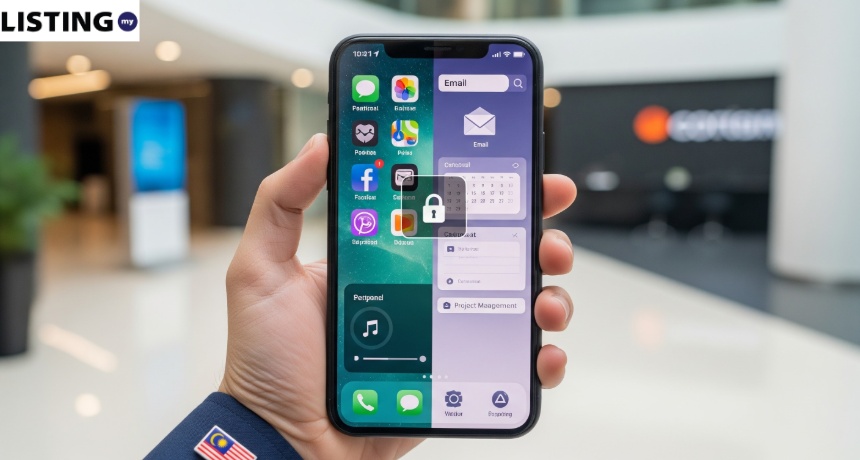
A Work Profile is a container on the employee’s phone that separates work apps from personal apps. The company can manage and wipe the work profile without touching personal data.
| Feature | Without Work Profile | With Work Profile |
| Company can wipe | Entire phone | Work apps only |
| Employee privacy | At risk | Fully protected |
| Data separation | None | Complete |
| PDPA compliant | ❌ Risky | ✅ Yes |
| Setup complexity | Simple | Moderate |
Recommendation: Always use Work Profiles. It protects the employee’s privacy and gives the company the control it needs.
4. Prohibited Apps & Behaviors
To protect company data, you should list prohibited activities:
- No Side-Loading: Employees should not install apps from third-party websites (outside of the Google Play Store or Apple App Store).
- Public WiFi: Prohibit the use of “unsecured public WiFi” (like at a cafe or airport) for accessing sensitive company data unless a VPN is used. (See our Office WiFi Security Guide).
- No Unauthorized Cloud Storage: Company files should not be uploaded to personal Google Drive, Dropbox, or iCloud accounts.
- No Screen Recording of Sensitive Data: Employees should not screenshot or screen-record confidential business information (e.g., client financials, HR records).
5. MDM Solutions for Malaysian SMEs
MDM (Mobile Device Management) is software that allows companies to manage, monitor, and secure employee devices remotely. It enforces the BYOD policy automatically.
| MDM Solution | Price (per device/month) | Work Profile Support | Best For | Malaysia Availability |
| Microsoft Intune | RM15–RM30 | ✅ Yes | Microsoft 365 users | Built-in |
| VMware Workspace ONE | RM20–RM40 | ✅ Yes | Large enterprises | Via partners |
| Hexnode | RM10–RM25 | ✅ Yes | Budget-conscious SMEs | Direct |
| Google Endpoint Management | Included in Google Workspace | ✅ Yes | Google Workspace users | Built-in |
| Mosyle | RM8–RM20 | ✅ Yes | Apple-only offices | Direct |
Tip: If your company already uses Microsoft 365 Business Premium or Google Workspace, check if MDM is included—it often is.
6. Real-World Scenario: Forwarding Data to a Personal Email
(Karen Yap Chew Ling v Binary Group Services Bhd, 2023): A senior employee resigned abruptly and later joined a rival company.
Digital forensic investigations revealed she had made a wholesale copy of the company’s sensitive database and forwarded work emails to her personal account.
She tried to argue she sent them to herself to “perform work,” but the Court of Appeal ruled against her, finding her liable for breach of confidence.
Read More: Can I Take Along Confidential Information When Leaving My Job?
Conclusion: Balance Freedom with Security
Key Takeaway: A BYOD policy isn’t about controlling your employees’ personal lives; it’s about protecting your business’s future. By setting clear boundaries today, you avoid the legal nightmares of tomorrow.
The key is balance: respect your employees’ privacy while protecting your company’s data. Use Work Profiles, require signed agreements, and invest in basic MDM. These small steps can prevent a data breach that costs your business millions.
7. FAQ: BYOD in Malaysia
Q1: Can I force my employee to install a tracking app?
A: No. Tracking an employee’s location outside of work hours is a violation of privacy under Malaysian law. You can only “track” the device in the event it is stolen and needs to be wiped.
Q2: Who pays for the data plan?
A: In Malaysia, it is common to provide a “Mobile Allowance” (RM30–RM100) if the employee is expected to be on-call or use large amounts of data for work. This should be documented in the employment contract.
Q3: Is a verbal agreement enough?
A: No. You must have a signed document that is part of their employment contract. Without it, you cannot legally wipe their data if they leave on bad terms.
Q4: What MDM software is available in Malaysia?
A: Popular options include Microsoft Intune (for Microsoft 365 users), Google Endpoint Management (for Google Workspace users), and Hexnode (budget-friendly). See the comparison table above.
Q5: Can I read my employee’s WhatsApp messages?
A: No. Even with MDM, you cannot access the content of personal WhatsApp messages. You can only manage work apps within the Work Profile. Personal communications remain private.